How to Draw Manga with 3D References

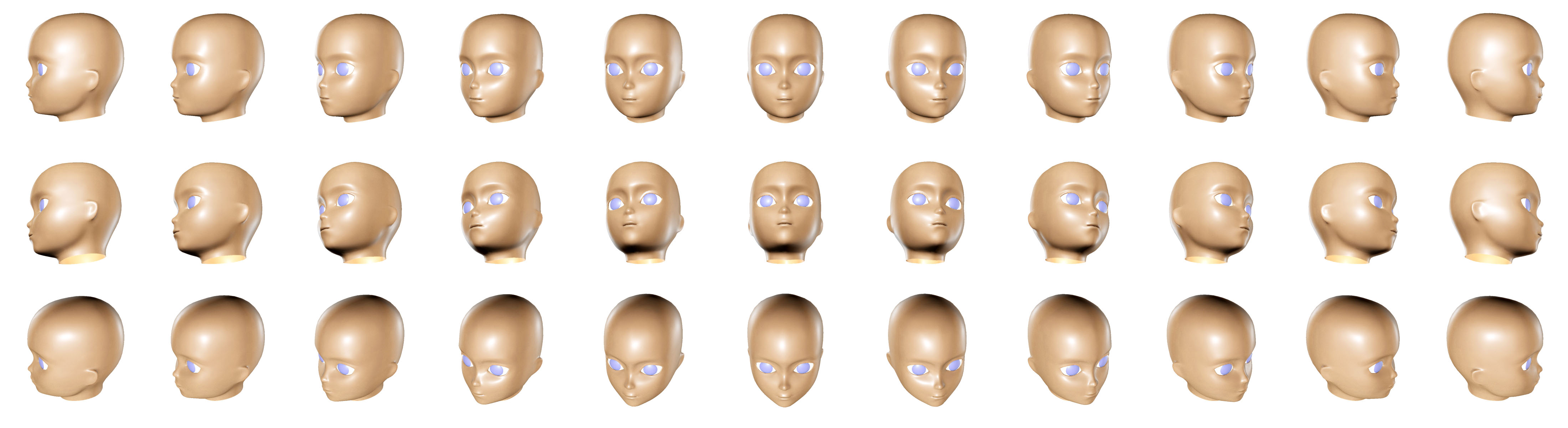
3D render of an anime manga face. How to Draw Mange reference.

3D render of an anime face. Modeled in Maya and rendered in 3DS Max. 4400 x 1200 pixels.

On a previous post, I have mentioned how I was able to draw better anime faces after having to model them in 3D in the past. Well, here is a 3D render of an anime face that I’ve modeled. The manga head render covers a 180 degree turn from three different angles. This should assist you in your manga drawing, because by seeing the proportions from different angles, it will help you make sense of the stylized anime face.

Most of the time the manga artist will draw the faces rather flat, especially in the three-quarter view. In the 3D anime face render, you can see that the eye sockets are sunken in. But most manga artist will ignore that realism and draw it flat. It is anime after all, so rarely does it have to make sense. Just as long as it’s cool looking, it’s good enough.


There are endless stylizations of anime faces; this 3D model is perhaps the most generic looking one. Actually from this model, I can make many face variations quite easily by playing with the proportions in 3D. That could be kind of fun. Maybe I’ll do a “How to Draw Manga with 3D References” series, with this being the first image. Anyhow, hope this helps you in your manga drawing.
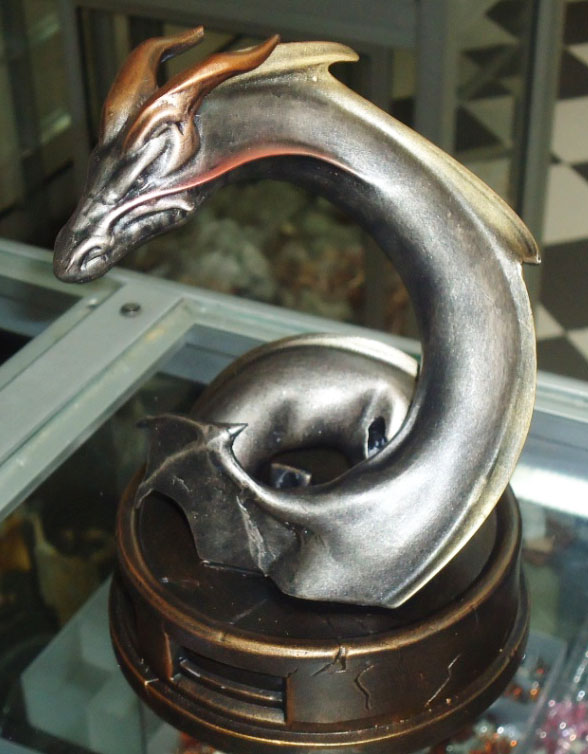
Lady Dragon Statue Paint Master from the Factory

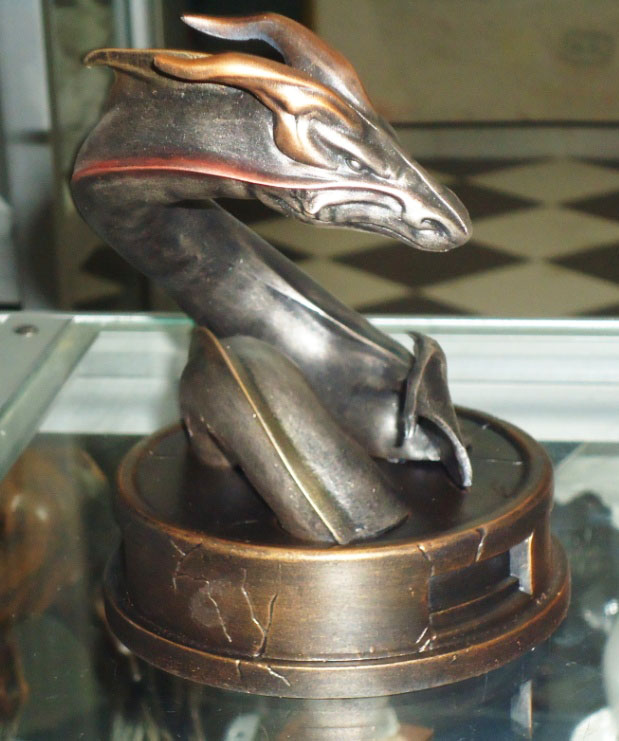
Got an update on my Lady Dragon statue from the factory. They are in the process of creating a paint master. Their painting deviates from what I had originally came up with, but I like what they are doing. Check out the bronze finish that they have created for the base and dragon.

The base looks great with that bronze finish. The dragon (or serpent) looks a lot meaner with this finish; as opposed to the red that I had before. It is definitely going into a different direction, but I like it. The Lady Dragon figure is still in the painting process so I will update that at a later date. With this bronze finish on the base and dragon, I think it’ll create good contrast to the softer and sexier feminine form on the Lady Dragon herself.

Hopefully I will get more progress on the figure soon so I can show you guys how sexy she is looking. The figure itself has a slightly different color scheme now, but it looks promising.

Here are some previous post related to the Lady Dragon statue.

Lady Dragon at San Diego Comicon 2011

3D Modeling on the Lady Dragon Statue.

Logitech USB Desktop Microphone For My Videos

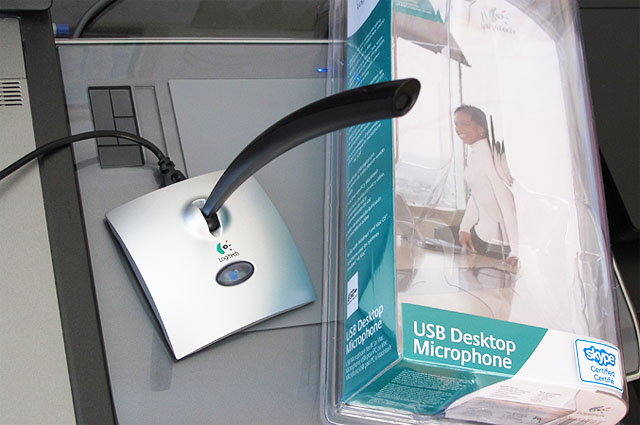
I recently bought this Logitech USB Desktop Microphone after fiddling around with some crappy $2 lapel mic from eBay. Not only was the sound quality bad on the lapel mic, but it stopped working soon after. That was probably a good thing. So I went to Amazon and got myself a Logitech mic for under $20. I need a microphone in order to make videos for this site and also a new site that I am developing. This new site, which will be announced later, will have a massive amount of tutorials. I needed higher quality sound and most importantly, dependability. Here’s my review of the Logitech USB Desktop Microphone.

Logitech Desktop USB Microphone with Packaging

USB Connection

First off, I had no idea they had USB microphones=). When I’ve learned of it, it was a no-brainer. My laptop has the microphone jack on the right side, which is where I put my Wacom tablet. With the jack plugged in, I had to move my tablet out to make room for the connection. With the USB conenction, I have it everyone on my laptop, so finding a unobtrusive connection was easy.

Microphone Construction and Sound Quality

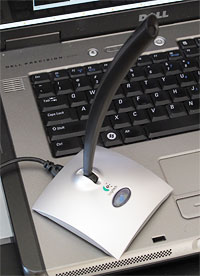
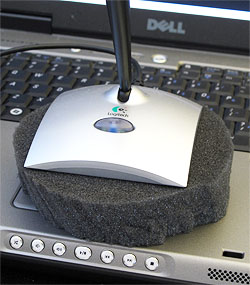
Logitech Desktop USB Microphone Placed on LaptopThe Logitech USB Desktop Microphone is fairly light weight; about the weight of a wireless mouse. The wide base makes the mic sturdy. It sits nicely on my laptop during my recordings. The mic stands about 8 inches tall and can pivot at the base. The pivoting feature is a big plus because you can point it toward you no matter how you sit. It also has a power button so you can save energy when it is not in use.
To my ears, the recordings sounds great. I’m not an audio junkie so I can’t tell you exactly what the quality is compared to anything else. But it does sound a hell of a lot better then the $2 lapel mic that I got. That probably isn’t saying much though. I am surprised at how well it cuts out the background and surrounding noise.

Logitech Desktop USB Microphone on Foam Piece to Dampen NoiseWhen I did some recording test, I noticed that there were some rumbling noise being picked up. Since the mic was placed directly on my laptop, it was actually picking up the hard-drive noise. I placed a piece a of foam between them and that did the trick.
For $20, I can’t be happier with this mic. It got rid of the frustrations that I was having with my lapel mic. Now I can just concentrate on creating videos and not having to keep adjusting to the equipment. This is a great microphone if you are making video tutorials. And you gotta go with a USB connection. Check out more reivews –> Logitech USB Desktop Microphone


Tsutomu Nihei – Awesome Manga Artist

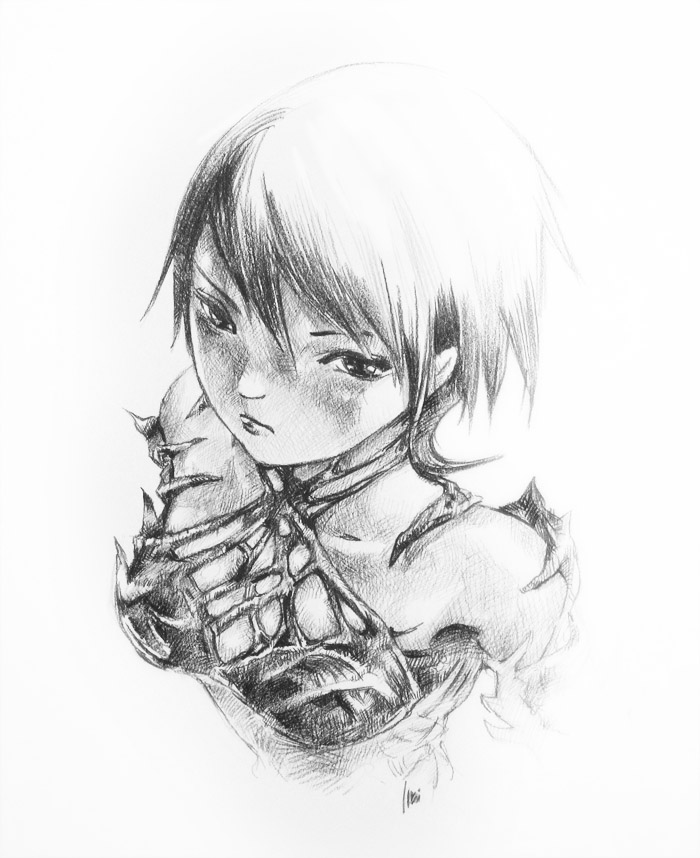
Tsutomu Nihei Biomega Manga Cover Sketch - My VersionI just stocked up for my eBay store, the manga series titled Biomega. The artist is Tsutomu Nihei. I first learned of him after seeing his old manga series, Blame! What caught my eye was his incredible ink work and architectural vision (I’ve since learned that he is an architect). His black and white art is absolutely spectacular. It’s dark and mysterious, and at times, grotesque. It is definitely not for kids to read. His style is what others describe as cyberpunk. But whatever, I just call it bad-ass art.

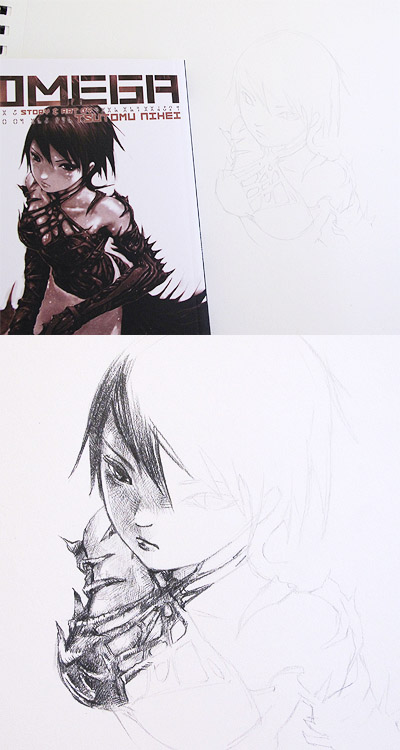
The covers are much better on the Biomega series than on the Blame! series. It’s got some color work on the cover and the back, which is a nice addition. I haven’t read it but it looks very similar to Blame!, or his earlier manga, Noise. The covers inspired me to pick up my pencil; so I did a quick sketch from one of the Biomega covers. Here’s how the sketch turned out. Not anywhere near as cool as his.

Tsutomu Nihei Biomega Manga Cover Sketch
For this drawing, I started without thinking too much about it. Once I had finished sketching in the outlines, I wasn’t sure how to shade it. After some back and forth, I ended up with cross-hatching shading. Then I used a 2H pencil for some light shading. It’s an odd combination, but whatever, my intentions were to just do something with his art. It didn’t matter what.

I wish Tsutomu Nihei would do some more work, because my online searches of him yields very little content. Looks like he did something involving Wolverine from Marvel, titled Snikt! The Tsutomu Nihei facebook page is rather sparse too. A “How to Draw Manga” series by him would be nice=). Anyhow, check him out for inspiration!

Drawing Manga – Anime Faces

Looking at my old anime watercolor paintings reminded me of how I use to love drawing manga. I grew up watching anime, and loved drawing those sexy female characters. It was difficult for me draw back then. The proportions and foreshortening is very tricky on anime faces. It’s a lot easier for me now as I am a better artist today. Having said that, I think my improvement comes from the fact that I have modeled quite a few 3D anime faces earlier in my career in 3D graphics. That allowed me to better visualize the shapes in my head. And the more accurately you are able to visualize it in your head, the better you can translate that to paper.

There is a popular series of manga drawing books titled How To Draw Manga. I use to carry some of them in my eBay store. This How to Draw Manga series has countless volumes, covering every aspect of manga drawing. But seriously, you don’t need any specific training to draw manga, you just have to know how to draw. And people tend to think that manga is easier to draw because of its simple lines and shapes. But don’t be fooled by their simplistic style, they are difficult to draw, like anything else.

Here is a quick video of my manga sketches.