On my previous post, I had a couple of face paintings using a soft airbrush technique in Photoshop with the Cintiq 22HD. Here I made an eye painting video to better illustrate the technique. Starting with as large of a brush size as you can get away with, softly build up the values. I suppose it’s similar to dry-brushing. It’s easier if you start with a middle grey background and go from there.
Month: September 2012
Soft Airbrushing on the Cintiq 22HD
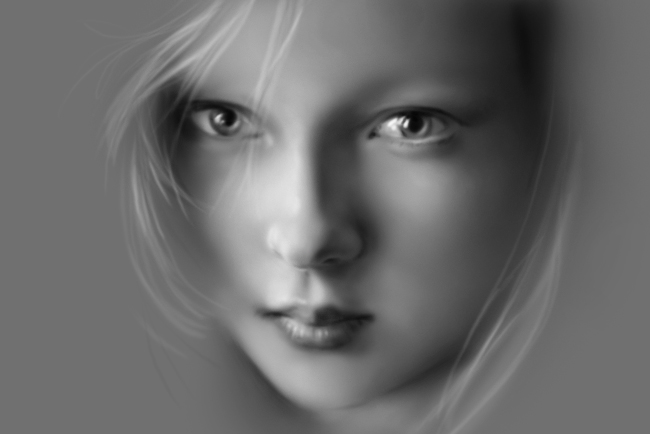 I did couple of soft airbrushing paintings on the Cintiq 22HD. Part of the reason was to test the sensitivity on the Cintiq. It feels the same as the Wacom Intous tablets but the results I get on the Cintiq is softer because of greater hand control.
For these paintings, I used the aribrush in Photoshop with an airbrush opacity at about 25% with a flow of about 30%. With that low opacity flow, you can slowly build up the form with multiple strokes. Just think of it as if you’re using a real airbrush, where going too dark is a big no no since you can’t go lighter.
Pretty Girl’s Face and the Mummy
On the girl’s face, it took me about an hour to do. Starting with pure black on the airbrush, I slowly painted in the darks. Then using pure white to bring out the highlights. My goal was to create all the different shades of grey by varying the pressure of the stylus. I was successful at that, but I did end up doing some corrections by apply the backgroud grey to fix certain areas that I went too dark on.
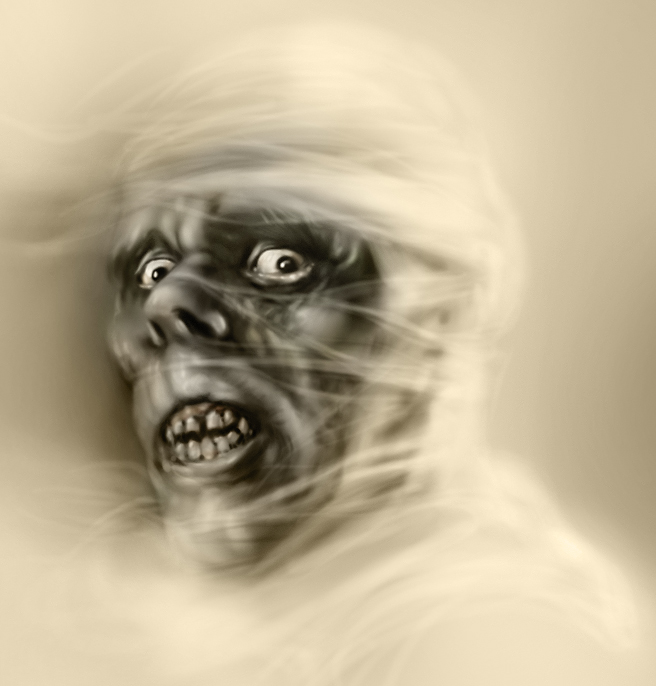 For the Mummy’s face, it was a lot messier and I went back and forth more. The details made it difficult to get it correct on the first try. This was referenced from one of Basil Gogos’ monster sketches.
In conclusion, I think this soft airbrushing technique works great with the Cintiq. The stylus is sensitive enough where you can build up smooth areas with multiple strokes and still keep your stroke lines blended. I like the result and I’ll be doing more of these types of paintings. The process goes fast enough that I’ll be able to do a video on this technique soon.
Related Posts
Cintiq 22HD Review
Cintiq 22HD Video Review
Cintiq 22HD Stylus Sensitivity Video Review
Wonder Woman and Witchblade Paintings on the Cintiq 22HD
Following my Black Widow painting for my wife’s friend, I had a couple of request to paint them as superheroes as well. Since the subject matter was what I wanted to paint, I ended up doing a couple of commissions on it. I painted them on the Wacom Cintiq 22HD.
Wonder Woman and Witchblade Paintings
 For this Wonder Woman and Witchblade paintings, the process was similar. I started with their portrait and then I would find a suitable pose for them my reference library. Rarely does the reference matches exactly what I want it to be. But that’s okay because what I’m after are lighting references. I’ll try to figure out the lighting based on any pose changes from the reference. I use to be horrible at this but with practice, I can see that I’m getting better at making things up. Still feels awkward but it’s getting there.
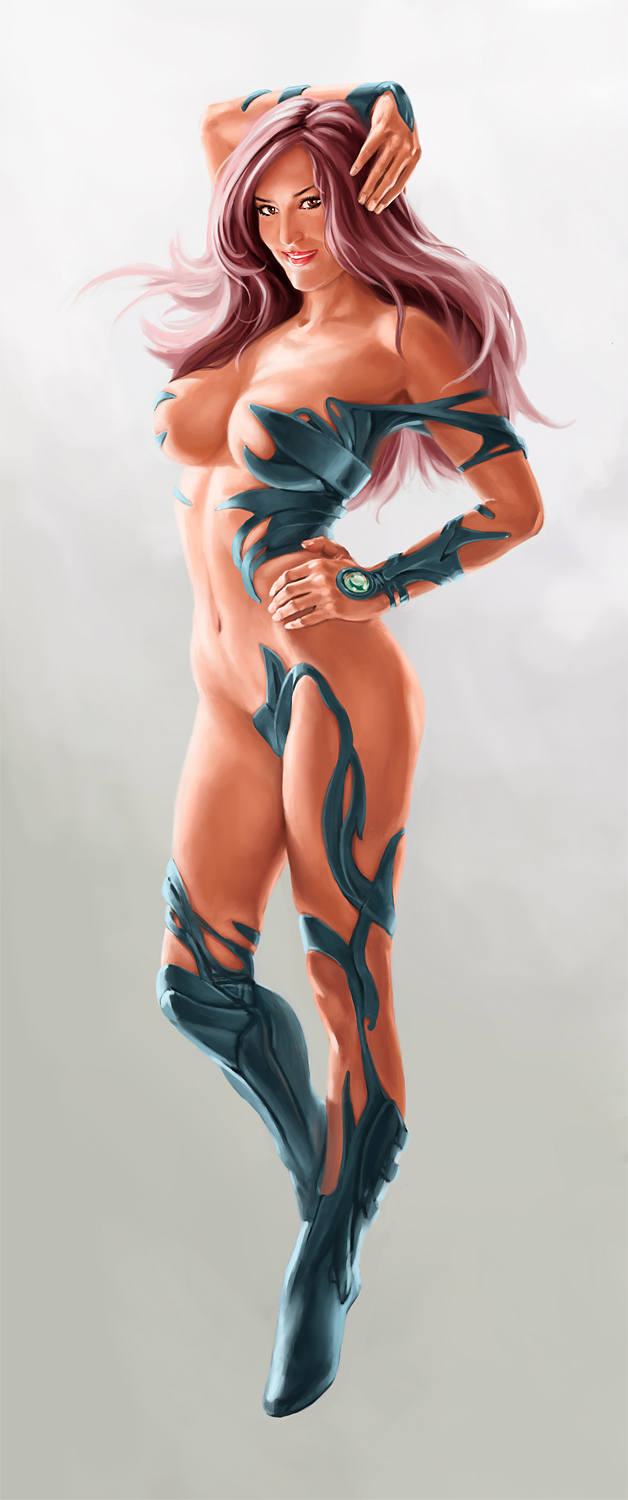 With the Witchblade painting, the portrait was from a flash photo, resulting in flat lighting. I had to change it to what you see here, with the lighting from the side. That was the trickiest part. I’m calling this Witchblade because it was referenced from that character. I played around with it and did my own costume. It’s closer to the Japanese version of Witchblade, Takeru.
If you’re interested in such a painting for yourself, I am open to commissions. It’s not something I’ve done a lot in the past, but now that I’m getting back to painting, I’m more open to the idea. Sexy ladies only. Just contact me.